How to Verify a Crypto Transaction Using a Block Explorer

Ashir Khan writes about cryptocurrency security, self-custody, macro market analysis, and regulatory policy at CryptoBeacon.
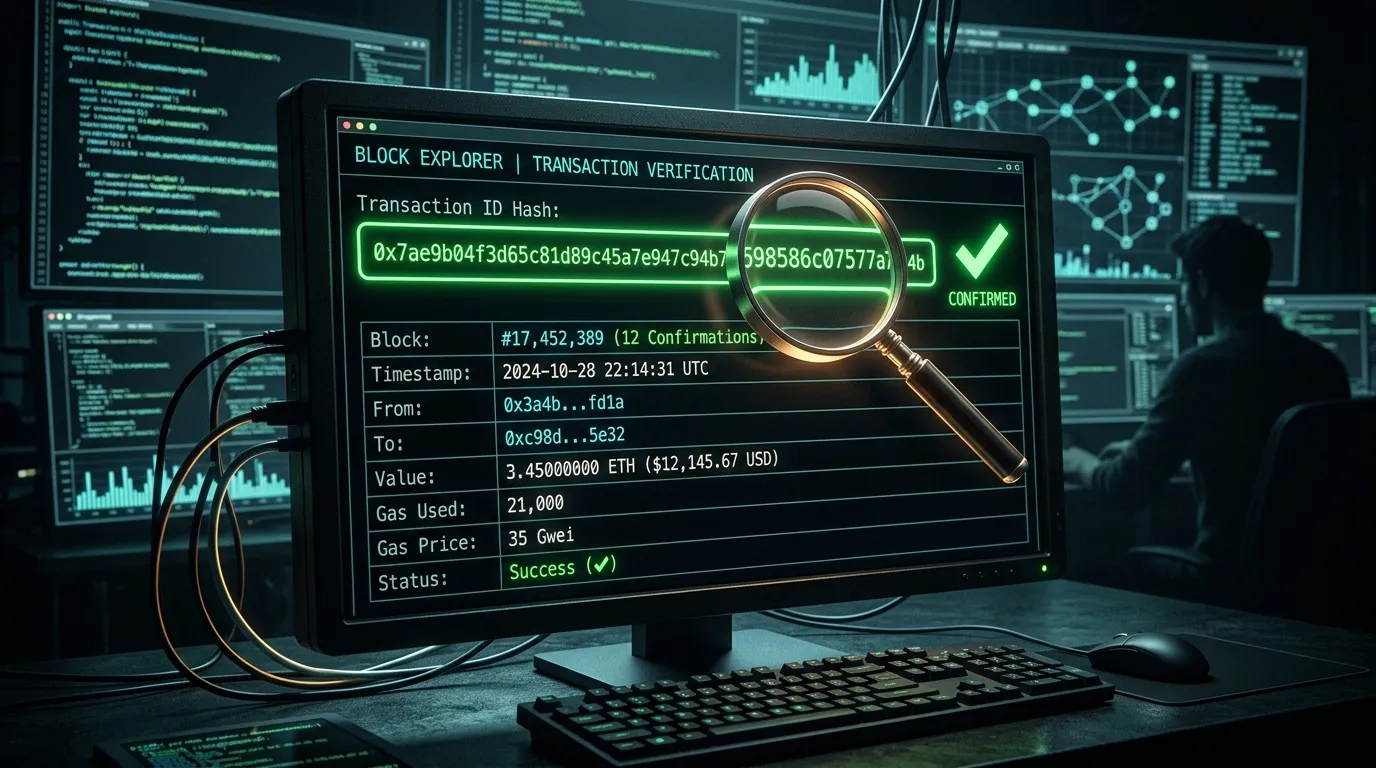
In traditional banking, if a transfer hasn't arrived, you have to call customer service and trust what they tell you. In crypto, you are your own customer service. Because publicblockchains are completely transparent, you can independently verify the exact status of any transaction at any time using a tool called a block explorer.
This article is educational. It isn't financial advice.
Step 1: Get the Transaction ID (TXID)
Every crypto transaction generates a unique alphanumeric receipt called a Transaction ID (TXID), sometimes also called a transaction hash. It usually looks like a long string of random characters (e.g., 0x7a2... on Ethereum, or f38b... on Bitcoin).
If you sent the funds from an exchange (like Coinbase or Kraken), you can find the TXID in your withdrawal history. If you used a personal wallet, click on the transaction in your activity tab to view the details, and you will see the TXID there.
Security Note: It is completely safe to share a TXID with someone (like customer support or a merchant you are paying). A TXID only proves that a specific payment occurred; it cannot be used to access or steal your funds.
Step 2: Enter It Into a Block Explorer
A block explorer is a search engine for a specific blockchain. It reads the public ledger and displays it in a human-readable format.
- For Bitcoin (BTC): Use explorers like mempool.space, Blockchair, or Blockchain.com.
- For Ethereum (ETH) and ERC-20 tokens: Use Etherscan.io.
- For Solana (SOL): Use Solscan.io or Solana Explorer.
Go to the correct explorer for the network you used, paste your TXID into the search bar, and hit Enter.
Step 3: Understand the Status
When you pull up the transaction page, the most important field is the Statusor Confirmations count.
Pending / Unconfirmed / 0 Confirmations
This means you successfully broadcast the transaction to the network, but miners (or validators) have not yet included it in a block. The transaction is sitting in the "mempool" (the waiting room for transactions). If network traffic is high and your fee was low, it might stay here for hours or even days. The funds have technically not moved yet.
Confirmed / Success
This means the transaction has been permanently written into the blockchain. The funds have officially moved from the sender to the receiver.
How many confirmations is "safe"?
Every time a new block is added after the block containing your transaction, your transaction gains one confirmation.
- Bitcoin: Exchanges usually require 3 to 6 confirmations (30–60 minutes) to consider a deposit final and irreversible.
- Ethereum: Exchanges usually require 12 to 64 confirmations (3–12 minutes) for finality.
Failed / Reverted (Smart Contract Networks)
On networks like Ethereum, a transaction can fail if it runs out of "gas" (the fee limit was set too low for the required computation) or if a smart contract condition wasn't met. In this case, the main funds never leave your wallet, but you still lose the network fee you paid for the attempt.
What If the Explorer Says "Not Found"?
If you search your TXID and the explorer says "Sorry, we are unable to locate this Transaction Hash," it usually means one of two things:
- You are on the wrong explorer. Make sure you aren't searching a Polygon TXID on the Ethereum Etherscan, for example.
- The platform hasn't broadcast it yet. If you are withdrawing from an exchange, they often give you a TXID immediately, but it can take their backend systems a few minutes to actually broadcast it to the public network. Wait 10 minutes and refresh the page.
FAQ
Why is my transaction taking so long?
Usually, this means you paid a network fee (gas fee or miner fee) that is too low for current network conditions. Miners prioritize transactions with higher fees. Your transaction is sitting in the 'mempool' waiting to be processed.
Can a transaction be cancelled once it's broadcast?
Usually no. Once a transaction is picked up by miners and confirmed in a block, it is cryptographically irreversible. If it is still pending in the mempool (0 confirmations), advanced users can sometimes 'Replace-By-Fee' (RBF) or 'cancel' it by sending a new transaction with a higher fee, but this is technically complex and not guaranteed.
What does 'Dropped' or 'Failed' status mean?
A 'Failed' transaction (common on Ethereum) means the smart contract execution encountered an error (like running out of gas), but you still pay the gas fee. A 'Dropped' transaction means it was in the mempool for too long with too low a fee, and nodes eventually forgot about it. The funds never left your wallet.
Is it safe to share my TXID?
Yes. A TXID (Transaction ID) contains no private keys and cannot be used to steal your funds. It is safe to share with customer support or the person you are paying so they can verify the transaction status.
Sources
Financial Disclaimer
This article is for informational and educational purposes only and should not be considered financial or investment advice. Past performance is not indicative of future results.